

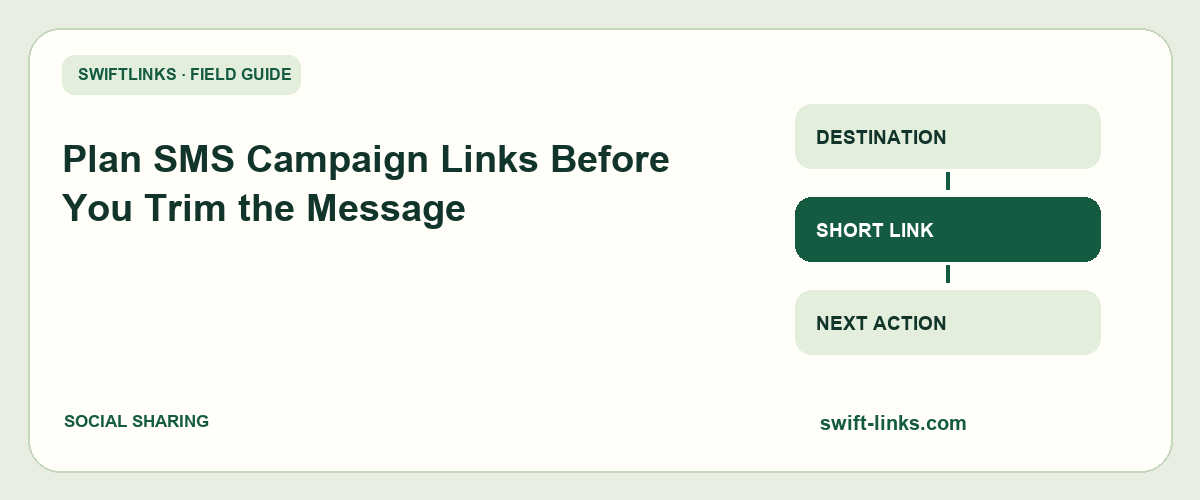
An SMS campaign is a small message leading to a larger task. The link may be compact, but the recipient still needs to recognize the sender, understand the offer, open the route, and use the destination on a phone. Trimming the text before planning that journey can remove the very context that makes it understandable.
A useful workflow starts with the destination and sending conditions, then writes the message around one clear action. Character counts matter, but they are only one part of the review. The final delivered message and landing page need testing too.
This guide covers a practical pre-send process. It does not guarantee carrier delivery, provide legal advice, or assume that a shortener can control the policies of a messaging provider or recipient network.
Choose one task for the message
Write the action in plain language before composing the SMS. A reminder to view event details differs from a request to complete registration. Trying to fit both plus several unrelated offers can make a short message difficult to follow.
Identify the page that best supports the action. Send readers to the relevant destination rather than a generic homepage unless that is genuinely the intended task.
For an illustrative repair workshop campaign, the message might ask recipients to view Saturday's schedule. The landing page should show the date, location, and booking status clearly. A broad site with unrelated courses creates additional work.
Keep the campaign objective in the register. If someone later rewrites the message to sound more promotional, the objective helps them preserve the original task rather than changing the campaign accidentally.
Avoid promising an action the destination cannot deliver. “Reserve a place” should not lead to an expired form or a page that only says registration will open later.
Confirm the audience and sending process
Use the organization's approved recipient and messaging process. Check the provider's current requirements and the rules relevant to your audience with the responsible compliance or operations person.
Do not treat a list of phone numbers as permission to send any campaign. Your team should know why recipients are eligible, how preferences are managed, and how requests to stop messages are handled.
Separate test contacts from production recipients. A test should not accidentally trigger a live broadcast. Keep the sending tool's audience selection visible during review rather than focusing only on message copy.
Record the sender identity and sending owner. A recognizable sender helps recipients place the message in context, while the owner gives the team a clear contact for delivery questions.
If you use contractors, define whether they may prepare drafts or send messages. Access to an editor is not automatically authorization to launch a campaign.
Prepare the destination for a phone
Open the public page on a phone outside your administrator session. Check the first screen, main action, and any required form. SMS recipients are likely to begin on a small screen, even if they later switch devices.
Verify dates, timezones, prices, and availability. A clear message cannot compensate for incorrect details after the tap. Make the important conditions easy to find near the action.
Test the route using the approved process for any consequential action. Do not create real payments or bookings repeatedly while investigating. Use test mode, staging, or a designated test-safe workflow where available.
Look for unnecessary friction. A message inviting readers to view public information should not unexpectedly demand account creation unless that requirement is intentional and explained.
Assign a destination owner who can respond after the send. SMS activity can arrive quickly, and a broken form needs a maintenance path rather than a discussion about who built the page months ago.
Build the complete address before shortening
If your measurement setup uses campaign tags, prepare the full destination first. Preserve functional query fields and use the agreed source, medium, and campaign conventions.
Use campaign-level labels rather than putting recipient phone numbers or names into public URL parameters. A route can identify a message or audience group without exposing personal details in the address.
Save the long destination and short route together. The register should show where the message was supposed to send readers, even if the short address later changes its destination through supported editing controls.
Do not shorten an already shortened address without a reason. Extra redirect layers make troubleshooting harder and can add dependencies. Inspect the final route so the team understands the chain.
Confirm that the short address is active and allowed under your account's current rules. A link that worked in a draft can become unavailable because of account status, expiration, or a destination change.
Write recognizable context around the route
Identify the sender or offer in a way the audience can understand. A bare short address and urgent instruction can look suspicious even when the campaign is legitimate.
An illustrative message could say: “Northside Workshop: Saturday's repair session details are ready. View times and location: https://example.com/repair”. This is wording for planning, not a real service announcement or a guaranteed deliverable message.
The message gives the link a specific job. It does not require a long slogan, several exclamation marks, or an unsupported claim about limited places. Use genuine urgency only when the facts justify it.
Include important conditions or preference instructions according to your approved sending process. Do not remove required information merely to fit a target length.
Keep the route distinct from surrounding punctuation. Test how the delivered message turns the address into a clickable link. A full stop or line break can be handled differently by different applications.
Check encoding and segments in the actual tool
SMS length depends on character encoding and segmentation, not only on the visible number of letters. Twilio's message-length explanation describes common GSM-7 and Unicode limits and recommends checking the actual message with its segment calculator.
A smart quote, emoji, or character outside the supported GSM set can change how a message is encoded. Multipart messages have different per-segment capacity from a single message. Your provider may also apply its own limits and billing behavior.
Use the sending platform's current preview or calculator for the final text, including the URL and any automatically appended wording. Do not calculate from a draft that omits the sender line or preference instructions.
If you revise punctuation to reduce segments, preserve readability and meaning. Removing meaningful accents or replacing a natural-language message with awkward abbreviations can make the campaign less understandable.
Record the expected segment count and confirm it after the final edit. A tiny wording change can affect encoding, so a previous calculation may no longer apply.
Consider link handling by the sending platform
Some messaging tools can rewrite or wrap links for their own tracking. Check whether that behavior is enabled and inspect the delivered test. Your final route may differ from the address in the editor.
Understand who controls each layer. A shortener, messaging provider, and destination website can all participate in the journey. A failure at one layer should not be blamed automatically on another.
If the provider offers branded link options, review its current requirements and your account configuration. Do not assume a generic setting is available or appropriate for every sender and region.
Avoid inventing a claim that one short domain guarantees delivery or avoids filtering. Recipient networks and provider policies are outside the shortener's control. Work with the provider's documented guidance when delivery problems occur.
Keep a delivered test copy with the campaign record. It shows the actual text and clickable address recipients were expected to receive, which is more useful than a screenshot of the editing screen alone.
Send a controlled test
Use a small approved test group representing relevant devices or networks where practical. Confirm receipt, sender display, message order if multipart, link detection, destination access, and the intended action.
Do not assume one received message proves universal delivery. The test is evidence about those conditions. It can catch obvious mistakes without guaranteeing every recipient's network behavior.
Open the route from the received message. Confirm the final page, labels, and form behavior. A destination opened manually before sending does not test whether the SMS contains the correct hyperlink.
If the message includes an instruction to stop or change preferences, verify the organization's approved handling process. The recipient experience should match the wording used.
Document test activity when interpreting the campaign's initial link count. Internal taps and provider checks can appear before any production audience opens the message.
Schedule with a clear timezone
Choose the send time according to the campaign's purpose and your approved audience policy. Record the timezone explicitly, especially when staff and recipients are in different regions.
A reminder should arrive with enough time to be useful. A message sent after a booking deadline may still generate clicks while failing its intended task.
Check the sending tool's scheduling clock. A local-time assumption can be wrong if the account uses another timezone. Review the scheduled timestamp in the final approval screen.
Keep reporting windows aligned with the send. A daily digest that closes shortly after launch captures only the early response. Use an appropriate later review for the fuller campaign result.
If the schedule changes, update both the sending record and destination details where needed. A rescheduled event can leave an otherwise correct message pointing to old information.
Review activity without confusing it with completion
A link request does not prove that a person read the message, completed the form, or purchased anything. Requests can include previews, automated checks, repeated taps, and forwarded messages depending on the systems involved.
Compare route activity with evidence from the destination's completed actions. Keep those measures in separate columns and state the reporting window.
If clicks occur but completions do not, inspect the page and form before changing the SMS copy. A slow or broken destination can explain the gap.
If delivery appears low, review the messaging provider's status and diagnostics with the authorized owner. A shortener dashboard cannot tell you everything about carrier delivery.
Do not identify individual recipients through public aliases merely to make reporting more granular. Use the approved private systems for recipient management and campaign-level routes for public sharing where possible.
Troubleshooting an SMS link campaign
The message arrives in several parts
Check the final encoding and segment count in your sending tool. Review smart punctuation, emoji, and automatically appended text. Verify provider behavior rather than assuming the editor's visible character counter covers every case.
The URL is not clickable
Inspect the delivered text, scheme, surrounding punctuation, and line breaks. Test on another relevant device. Keep the complete intended address and avoid relying on an application to guess a malformed route.
The link opens the wrong page
Compare the editor's address, delivered address, shortener destination, and final page. Find the layer that differs. Correct the current route where appropriate and record the affected send rather than rewriting the campaign history.
The message is received but the page is unusable
Test the mobile journey and public permissions. Identify whether loading, layout, or form submission is failing. The message's compactness does not reduce the destination's responsibility to work.
Delivery fails for some recipients
Review the provider's documented statuses, recipient eligibility, sender configuration, and regional requirements through the responsible administrator. Do not promise that changing to a different short alias will fix network or policy issues without evidence.
Recheck a draft after automated rewriting
A sending platform may replace a URL, append preference wording, or apply an encoding option after you submit the draft. Review the platform's final preview and a delivered test rather than treating the original text as the complete message.
If the platform adds its own tracking route, save that fact in the campaign record. The team should know why the delivered hostname differs from the address approved in the content document. Unexpected differences still need investigation, even when automatic rewriting is a possible explanation.
Run the segment calculation again after the platform's additions where the tool allows it. Billing estimates based on an earlier draft can be misleading if the final message includes more text or different characters.
Do not manually undo provider changes without understanding their purpose. Ask the authorized sending owner to review the configuration and current documentation. The aim is a known, tested message, not an address that merely looks identical in every editor.
When the final delivered route works, record its destination and the test result. That gives support a concrete reference if recipients later report a different experience.
Frequently asked questions
Should I remove all extra words to stay within one segment?
No. Preserve sender context, the intended task, and required information. Use the platform's calculation to understand the cost, then revise thoughtfully. A shorter message is not useful if recipients cannot understand or trust it.
Can a short link improve the campaign experience?
It can make the address more manageable and easier to recognize in some contexts. The destination, message, audience process, and provider configuration still need review. Shortening alone is not a delivery or conversion guarantee.
Is a delivered test enough to approve the launch?
It is one important check. Also confirm audience selection, schedule, public destination, and authorized sending process. Approval should cover the whole campaign, not only a successful tap on one phone.
What should remain in the campaign record?
Keep the final text, sender, approved audience description, schedule with timezone, expected segments, short route, full destination, delivered test, and review notes. These records make the next campaign easier to prepare and the current one easier to troubleshoot.


